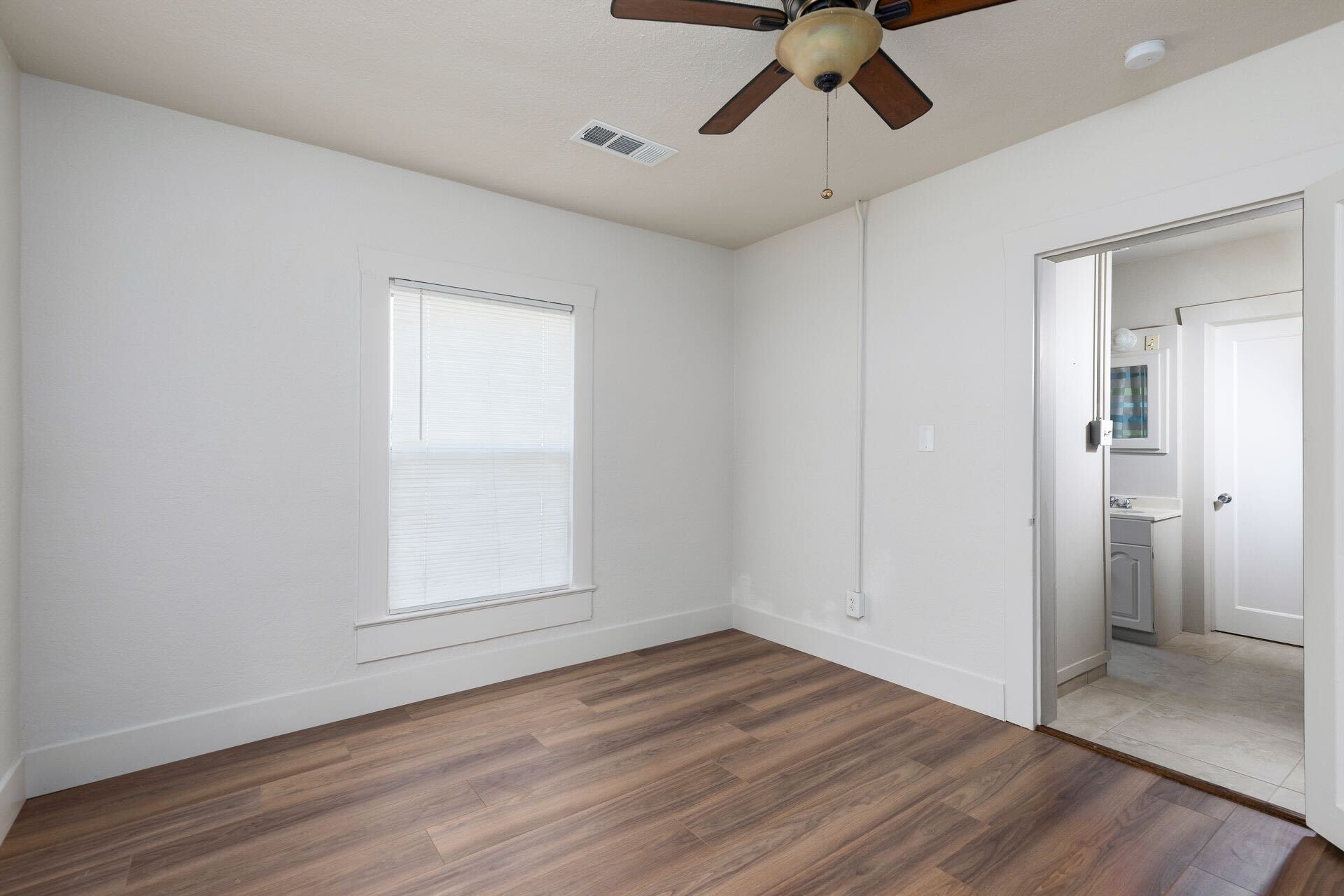
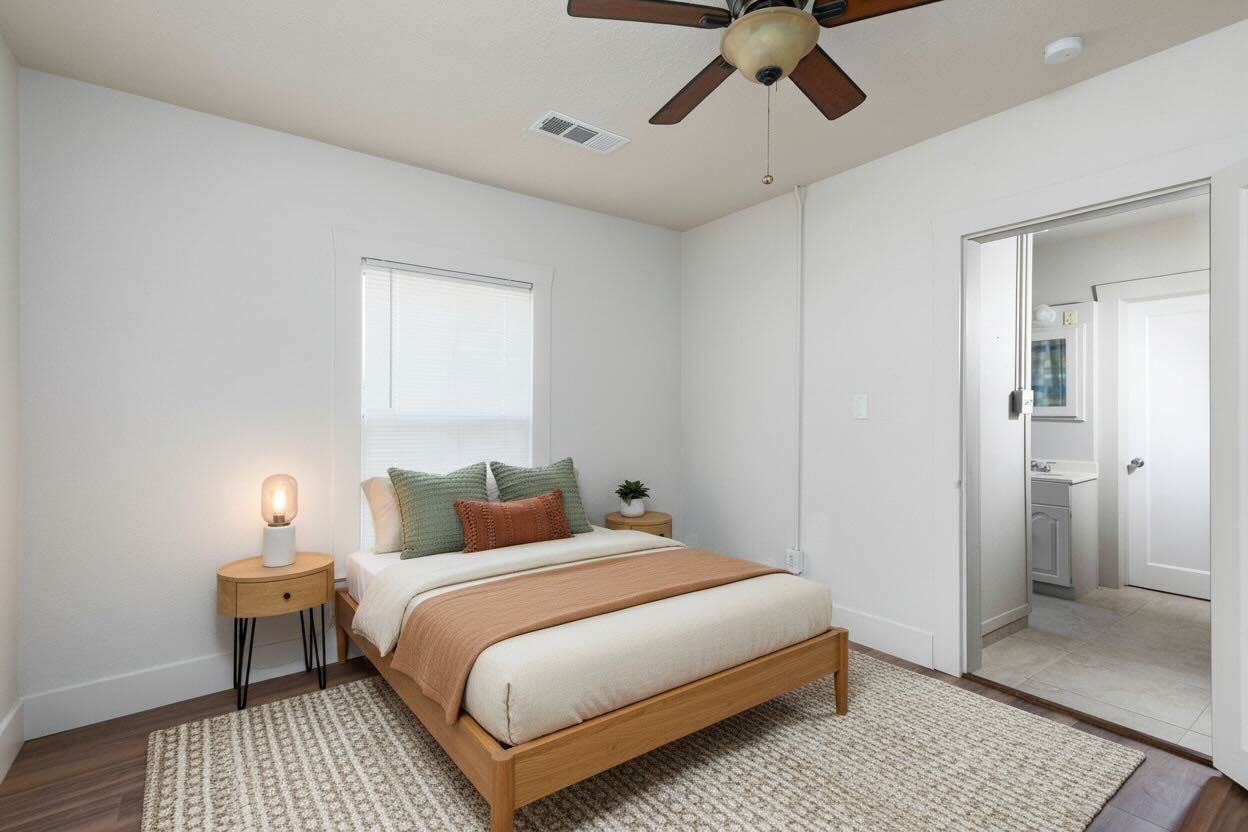
Why vacant rooms underperform online
Most buyers tour your listing on a screen before they ever see it in person. An empty room gives them nothing to anchor to. Without furniture, it's hard to judge how big the space really is, where a bed or sofa would go, or what the room is even for. A blank bonus room could be an office, a nursery, or a den — but buyers won't do that imagining for you.
Empty rooms also expose every flaw. Scuffs, outlet covers, and uneven flooring stand out when there's nothing else to look at. The result is fewer clicks, fewer showings, and a listing that lingers. Industry studies suggest staged listings tend to sell faster than vacant ones — and the photos are where that head start begins.
What virtual staging actually is
Virtual staging adds realistic furniture and decor to a photo of an empty room. Instead of trucking in rental pieces, you furnish the space digitally — a sofa and rug in the living room, a bed and nightstands in the primary, a table in the dining area.
Done well, it's not a fantasy magazine spread. The goal is to help buyers read the room: scale, flow, and function. Better Listed matches tasteful, realistic furniture to the actual space in your photo, so the staged result looks like a home someone could move into — not a render that sets up disappointment at the showing.
How to stage a vacant home with Better Listed
You don't need editing skills or a design eye. The whole process runs from a normal phone photo:
- Snap or upload one photo of the empty room — straight from your phone is fine.
- Choose virtual staging, and Better Listed furnishes the space with realistic pieces matched to the room's size and layout.
- Get a listing-ready, furnished image in under 60 seconds.
- Download both versions — the staged photo and the preserved original — side by side.
MLS disclosure handled, originals preserved
Virtually staged photos commonly need to be disclosed on the MLS. Better Listed handles this automatically: every virtually staged image includes a disclosure label, so you stay covered without remembering to add it yourself.
Your original, unedited photo is always preserved. Download the staged and original versions together so you can post both with no guesswork. (Straight enhancement photos — light, color, and clarity fixes that don't change what the property looks like — stay label-free.)
Virtual vs. physical staging: the cost
Physical staging means renting furniture, paying for delivery and setup, and keeping it all in place for weeks while the home sits — costs that stack up before the listing even goes live, and add to whatever you spend on photography.
Better Listed replaces both the photographer and the stager. One $50/month subscription covers unlimited enhancement and virtual staging, up to 100 photos per cycle — so you can stage every vacant room in a listing, and the next listing too, for a flat price. No per-room fees, no rental returns, no waiting on a delivery truck.